You installed solar expecting a bill of ₹300–₹500. Instead, your next statement arrives for ₹2,800, almost what you paid before. Your first instinct is to call the installer. But before you do, read this guide, because most cases of a “high bill after solar” are actually explainable, diagnosable, and fixable.
Across our 10,000+ installations, this is the most common complaint we receive in the first 60 to 90 days after commissioning. In the vast majority of cases, the solar system is working perfectly, the problem is elsewhere.
Key takeaway. A high electricity bill after solar installation is usually caused by one of nine factors: net meter not yet activated, increased consumption, DISCOM billing error, monsoon season, system fault, incorrect monitoring reading, consumption at non-solar hours, DISCOM minimum charges, or an undersized system. Heaven Green Energy’s service team diagnoses the exact cause within 24 hours for every customer complaint, at no cost for the first year.
| # | Cause | First check |
|---|---|---|
| 1 | Net meter not yet activated | Does the meter show two registers (import and export) or only one? |
| 2 | Consumption has increased | Compare current monthly units with your pre-solar bills |
| 3 | Monsoon season | Compare this month’s generation with November to March; a 35 to 40% drop in monsoon months is normal |
| 4 | DISCOM billing error | Photograph both registers and work out (T1 import) − (T2 export) × tariff, then compare with the bill |
| 5 | System fault | Read the monitoring app for fault codes; a consistent 30 to 50% shortfall is a flag |
| 6 | Most use is at night | Check the self-consumption ratio in the app; below 30% means most output is exported |
| 7 | Fixed minimum charges | Find the fixed-charge line on your own bill |
| 8 | System too small | Compare the design’s rated annual generation with your annual consumption |
| 9 | Soiled panels | Compare clear-day generation with the baseline; a 15 to 25% drop points to soiling |
Reason 1, Net Meter Not Yet Activated
The most common cause of a high first bill. Your solar panels are generating and your inverter app shows hundreds of kWh generated, but your DISCOM bill shows almost no reduction.
What’s happening: If your DISCOM has not yet installed the bi-directional net meter, your old single-direction meter is still in place. It counts all your grid imports but cannot count your solar exports. Worse, depending on the meter type, it may count your solar exports as grid imports, effectively double-billing you.
How to check: Look at your electricity meter. Does it show two registers (export and import) or just one? If it still shows only one register, the net meter hasn’t been installed yet.
What to do: Contact your DISCOM and your solar installer. Net meter timelines are set by your state regulator, and MNRE’s PM Surya Ghar portal is designed to flag delays in DISCOM inspection and net meter installation. If it’s been more than 30 days, file a written complaint with your DISCOM’s consumer grievance cell. Heaven Green Energy tracks every pending net meter installation and escalates to DISCOM on behalf of our customers.
⚠️ Watch out
Do not pay an inflated bill from the period before your net meter was installed without first requesting a billing adjustment from your DISCOM. Ask for a corrected bill from the date of solar commissioning if the DISCOM's delay in installing the net meter caused billing errors. Keep your commissioning certificate date as evidence.
Reason 2, Your Consumption Has Increased
This is the second most common cause. You installed solar to save on bills, but you also bought a new AC, started working from home, or have more family members using appliances.
Solar savings are calculated as: Solar units generated × Avoided tariff rate. If your consumption increases by 200 units/month while your solar system generates 350 units/month, your net bill savings are smaller than expected.
How to check: Compare your current monthly unit consumption (from the import register on your net meter) to your consumption from before solar installation (from your old bills). If consumption has risen significantly, that explains part of the bill.
What to do: This is not a system problem, it’s a consumption change. You have two options: reduce consumption to match original baseline, or expand the solar system to cover the additional load. The 3BHK solar design guide explains how to resize a system for increased load.
Reason 3, You’re in the Monsoon Season
Solar systems generate 30 to 45% less during monsoon months (June–September) due to cloud cover. If your bill is high in July or August, this is normal and expected, not a system failure.
How to check: Compare your current month’s solar generation to your peak-season generation (November–March). A 35 to 40% reduction in monsoon months is completely normal. Your bill will naturally be higher in these months because you’re drawing more from the grid.
What to do: Plan for this seasonal variation. Where your state’s net metering rules let surplus units carry forward, you can “bank” excess credits in good months (October–May) to offset monsoon month bills. Check your state’s settlement period: in some states surplus is settled at a low rate instead of carrying forward.
Reason 4, DISCOM Billing Error or Incorrect Net Metering Calculation
DISCOMs sometimes make errors in net metering billing, especially in the first 1 to 2 billing cycles after the net meter is installed.
Common billing errors:
- Export register not included in the bill calculation
- Import and export registers swapped (you’re being billed for exports)
- Billing based on estimate rather than actual meter reading
- Old meter still in system even after net meter was physically installed
How to check: Take a photo of your net meter showing both registers (import T1 and export T2). Calculate what your bill should be: (T1 import) − (T2 export) = net units. Multiply by your applicable tariff. If the DISCOM’s bill differs significantly, it’s a billing error.
What to do: Visit your DISCOM consumer service centre with your meter photo, commissioning certificate, and calculated bill. Request a billing correction. In most DISCOMs, this is corrected within one billing cycle.
Reason 5, Solar System Fault or Underperformance
If your monitoring app shows much less generation than expected, not just a 10 to 15% seasonal variation, but a consistent 30 to 50% shortfall, your system may have a technical issue.
Common system faults that reduce generation:
- Inverter fault code active (ISo fault, grid fault, temperature shutdown)
- Panel soiling, dust or bird droppings blocking cells
- New shading from a tree that has grown or a new structure built nearby
- Loose MC4 connector or damaged string cable
How to check: Read your monitoring app for fault codes and compare daily generation to your expected baseline. The 8 causes of low solar generation guide walks through each potential fault with step-by-step diagnosis.
What to do: For simple soiling, clean the panels yourself. For inverter faults or wiring issues, contact your installer immediately, most reputable installers offer free service visits in the first year under the workmanship warranty.
Reason 6, Most of Your Consumption Is at Night
Grid-tied solar generates only during daylight hours (roughly 7 am to 7 pm, with peak generation 9 am–4 pm). If you are away from home during the day and your main consumption happens at night, your self-consumption is very low.
Example: A family where both adults work 9-to-5 with no children at home. Their daytime consumption is minimal, just a fridge and occasional fan, so 70 to 80% of their solar generation is exported. Under net metering, those exported units are set off against their night-time imports in the same billing cycle, so the savings hold up. But if exports exceed imports and the surplus is settled at a low rate, or if their state uses net billing (exports credited below the import tariff), their savings are smaller than a family home where someone is always at home.
How to check: Log into your monitoring app and check “self-consumption ratio.” This tells you what percentage of solar generation was used directly vs. exported. A ratio below 30% means most of your generation is being exported, which costs you money wherever exports are valued below your import tariff.
What to do: Shift your high-consumption tasks (washing machine, dishwasher, EV charging) to daytime hours, even setting a timer can shift significant load into the solar window. See how to add an EV charger to maximise daytime solar use in the EV + solar guide.
💡 Fast tip
Set your washing machine on a timer to run at 10 to 11 am, right in the middle of peak solar generation. This simple shift can increase your self-consumption by 15 to 20 kWh/month, which pays off most where exported units are credited at less than your import tariff (net billing, or surplus settled at a low rate).
Reason 7, Fixed Minimum Demand Charges
Every DISCOM charges a minimum monthly fee regardless of how much electricity you consume, even if you consume zero. This is the fixed “demand charge” or “minimum tariff” that covers the cost of maintaining the grid connection to your property.
The amount depends on your state, DISCOM, sanctioned load and connection type, so check the fixed-charge line on your own bill.
If your pre-solar bill was ₹3,000 and your post-solar bill is ₹250 (mostly fixed charges), that’s actually an excellent outcome, 92% bill reduction. But new solar owners sometimes expected to see a ₹0 bill and are disappointed by the residual minimum charge.
What to do: Accept that this charge cannot be eliminated through solar, it’s a grid access fee, not an energy charge. It should already be factored into any honest payback calculation from your installer.
Reason 8, Your System Was Undersized for Your Actual Consumption
If the solar system was sized based on outdated bills or an incorrect load assessment, it may simply not be large enough to cover your actual consumption.
How to check: Compare the system’s rated generation (from the design spec) to your actual annual consumption. If your system generates 4,200 kWh/year but you consume 7,000 kWh/year, solar covers only 60% of your bill at best, and only during generation hours. Night consumption is entirely on the grid.
The Heaven Green Load-to-kW Check: Divide your monthly unit consumption by 30 (daily units). Divide by your city’s peak sun hours (5.5 for Gujarat). Multiply by 1.2. That’s your minimum recommended system size. If your installed capacity is significantly below this, the system is undersized.
What to do: Talk to your installer about adding more panels or a second string. Adding capacity to an existing on-grid system is usually straightforward, an additional string, a larger inverter, and more panels on available roof space. Under MNRE’s PM Suryaghar guidelines, added capacity can attract further subsidy only for the balance up to 3 kW of total plant size, so this applies if your existing system is below 3 kW.
Reason 9, Soiled Panels Reducing Output
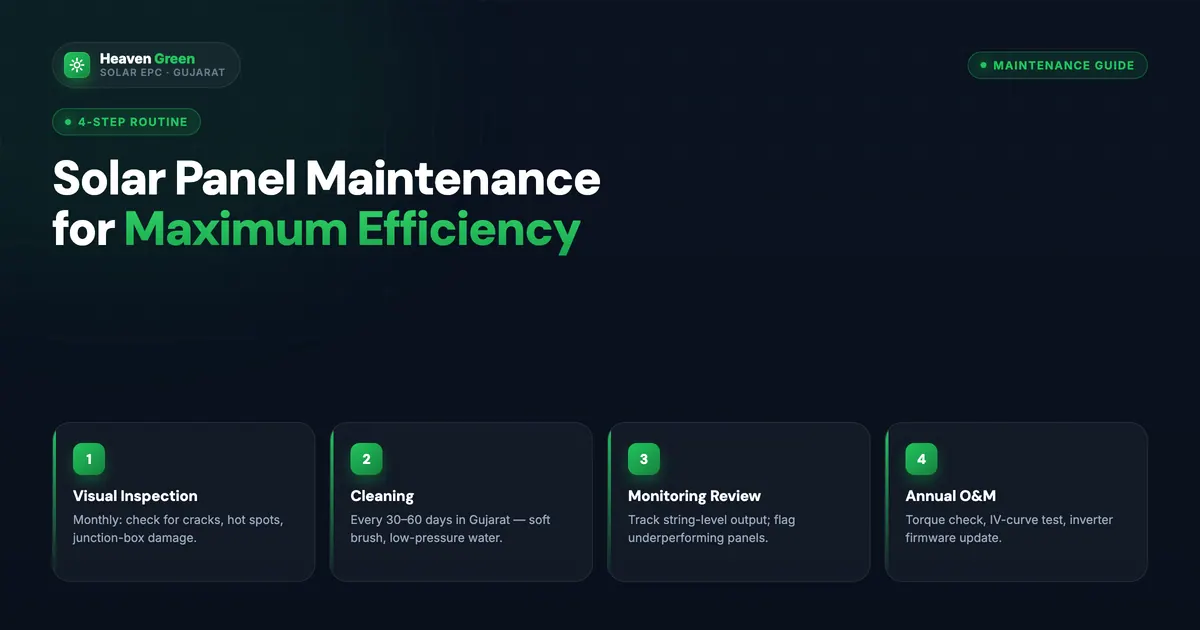
Dust, bird droppings, and construction debris accumulating on your panels silently reduce output by 15 to 30%. In Gujarat’s dry season, uncleaned panels lose significant generation within 2 to 3 weeks.
How to check: Look at your inverter monitoring app. Compare current generation on clear days against your baseline clear-day generation from when the system was new and clean. A 15 to 25% drop on similar weather days is a strong indicator of soiling.
What to do: Clean the panels. Use clean water and a soft cloth. Clean in early morning when panels are cool. Monthly cleaning maintains 97 to 99% output; quarterly cleaning averages 85 to 90%.
The solar panel maintenance guide covers cleaning frequency, methods, and professional cleaning options.
The Heaven Green Bill Reconciliation Protocol
When a customer contacts us with a high bill complaint, our service team follows a structured 5-step diagnosis called the Heaven Green Bill Audit Method:
- Pull last 3 months of inverter generation data
- Pull customer’s last 3 DISCOM bills (import/export registers)
- Cross-check generation vs. net meter export register
- Identify if the gap is in generation (system fault) or in billing (DISCOM error or consumption change)
- Provide a written explanation of the root cause with recommended corrective action
This protocol resolves 95% of high-bill complaints within 48 hours.
Book a free bill audit. Our engineers review your generation data, net meter readings, and DISCOM bill to find exactly what’s causing the high charge. Contact our service team →
Pros and Cons of Staying On-Grid vs. Adding Battery After High Bill Experiences
- Fix billing errors and adjust consumption habits first
- No additional capital spend needed
- Net metering carries forward surplus, grid acts as free storage
- Stores daytime solar for night use, reduces night imports
- Provides backup during outages
- Makes 80 to 100% of consumption solar-powered
How Heaven Green Energy Resolves High Bill Issues
Heaven Green Energy provides a 1-year free service warranty on every installation, including free diagnosis visits for billing and performance complaints. We don’t charge call-out fees in the first year. If the issue is a DISCOM billing error, we assist with the correction request. If it’s a system fault, we repair it at no cost under the workmanship warranty.
- Residential Solar: systems with 1-year free service warranty and monitoring support.
- Solar Panel Maintenance: cleaning and inspection services to maintain output.
- Solar Monitoring Guide: how to read your monitoring app and catch issues early.
- Contact our service team: free bill audit within 24 hours.
Frequently Asked Questions
Why does my solar bill show more units imported than I expected?
Higher-than-expected imports usually mean one of three things: your consumption has increased since installation, your solar system is generating less than designed (soiling, shading, or fault), or your net meter is not correctly crediting your exports. Use your inverter app to check generation and compare with your DISCOM bill’s export register to identify which is the issue.
How long after installation should I expect my bill to drop?
Your bill should drop from the very first billing period after your net meter is installed and active. If your net meter was installed on, say, June 10 and your billing period runs June 1 to June 30, the June bill should show 20 days of net metering savings. The full benefit appears in the first full billing period with net meter active.
Can my solar system cause my electricity bill to increase?
In rare cases, yes. If a non-BIS-compliant inverter pushes reactive power onto the grid, some older meters may count this as additional import. If the old single-direction meter is left in place after installation, it may count solar exports as imports (reverse running). Both of these are installation or meter errors, they are not normal and should be corrected by your installer and DISCOM.
My solar app shows 300 kWh generated but my bill saved only ₹500. Is that right?
Probably not. Under net metering, every unit you self-consume or export offsets a unit you would otherwise import, so at ₹6.50/unit, 300 kWh should be worth about ₹1,950. Savings fall below that only if your surplus is settled at a low rate, your state uses net billing, or your tariff is lower. If your savings are only ₹500, check for a billing error. Compare your net meter’s export register with the app’s generation figure.
What is the minimum DISCOM bill I can expect after solar?
In most Indian states, the minimum monthly electricity bill after solar is the fixed charge, which varies by state, DISCOM, sanctioned load, and connection type. Some DISCOMs also apply a minimum charge regardless of actual consumption. Your installer should have disclosed this minimum residual charge in their financial proposal.
My solar inverter shows full generation but the net meter export is zero. Why?
If the inverter is generating but the net meter export register reads zero, the most likely cause is that the net meter was installed incorrectly, the solar connection may be going directly to your load side without being routed through the export measurement circuit. This requires a DISCOM engineer revisit to correct the meter wiring. Contact your DISCOM and installer immediately; do not pay bills during this period without requesting an adjustment.