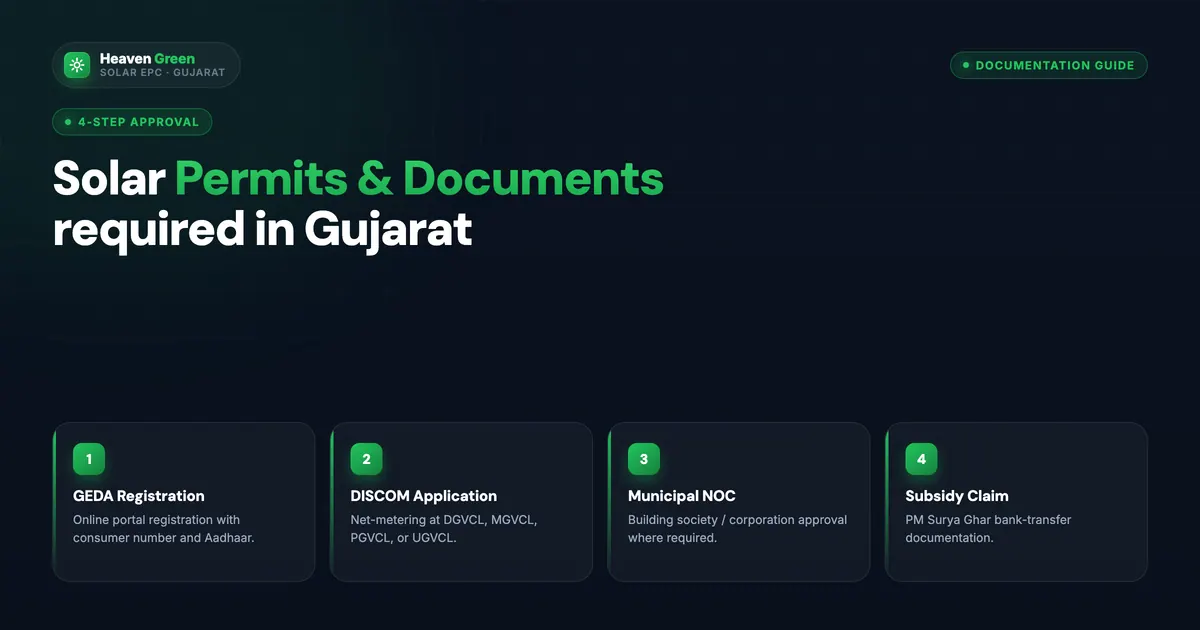
Most PM Suryaghar rejections come down to a wrong installer or incomplete documents, and document problems are preventable with a 20-minute check before you apply. Below is every document applicants commonly need, with notes for Gujarat, Maharashtra, Rajasthan and Madhya Pradesh.
Direct answer. Applications commonly need six documents: Aadhaar, latest electricity bill with a matching name, property ownership proof, bank proof in your name, a passport photograph and a DISCOM-registered mobile number. MNRE’s guidelines themselves name a valid consumer account number, bank-account proof and geo-tagged installation photographs. Joint, society and rented properties need extra papers.
Last verified: 14 October 2026
Checked against MNRE's Guidelines for PM-Surya Ghar: CFA to Residential Consumers: they require a valid Consumer Account Number (or equivalent consumer ID), bank details with a cancelled cheque, passbook scan or e-statement showing the account is the consumer's, and geo-tagged photographs after installation. They do not list Aadhaar, property proof or a passport photo, so the six-document list and the state rows are our field practice; the portal screens could not be opened, so confirm there and with your DISCOM.
The 6 Core Documents (Required Everywhere)
Document-by-Document Verification Checklist
Before submitting, verify each item against this checklist:
Aadhaar Card
- Your Aadhaar shows your name in English (capital letters)
- Compare the name exactly with your electricity bill name, every character, including spaces, hyphens, and initials
- If there is a mismatch, visit DISCOM office and get the electricity bill name corrected first
- Aadhaar copy is clear and undamaged, with current details
- If using DigiLocker, the downloaded PDF is valid for official purposes in your state
Electricity Bill
- The bill is the most recent (ideally within 30 to 60 days)
- Consumer number is clearly visible (this is different from meter number; MNRE’s guidelines ask for a valid consumer account number)
- Consumer category says “Domestic”, “LT-1”, “LT-Residential”, or equivalent for your DISCOM
- Name on bill matches Aadhaar, character for character
- No outstanding dues on the account (check the “arrears” row, it should read ₹0 or NIL)
- DISCOM name is clearly visible (UGVCL/DGVCL/MSEDCL/JVVNL/etc.)
Consumer number vs meter number: These are different. Your consumer number is a unique account identifier, typically 10 to 13 digits, on the top of your bill. Your meter number is the physical meter’s serial number, usually on a different line. Always use the consumer number on the portal.
Property Proof
- Document shows your name as owner (matching Aadhaar)
- Property address matches the address where solar will be installed
- Document is registered (sale deed, Index II) or official (property tax receipt with receipt number, Jamabandi with Patwari seal)
- If joint ownership, confirm whether an NOC from co-owners is required in your state
Bank Account Details
- Account is in your name (matching Aadhaar)
- Proof of account in your name is ready (cancelled cheque, passbook scan or e-statement, as MNRE’s guidelines require)
- Account is Aadhaar-seeded (recommended), verify via your bank’s mobile app or the NPCI portal (npci.org.in → Aadhaar → Aadhaar Mapper)
- Account is active (last transaction within 6 months)
- IFSC code noted from official source, your bank’s website or RBI, not third-party apps
⚠️ Watch out
If you use a Jan Dhan account for DBT, ensure it is not zero-balance dormant. Some Jan Dhan accounts become functionally inactive after 12 months without a transaction. Make one small transaction to activate it before the application.
State-Specific Document Requirements
| State / DISCOM | Additional document or note |
|---|---|
| Gujarat (UGVCL/DGVCL/PGVCL/MGVCL) | Apply and track on the PM Surya Ghar national portal; DISCOMs such as MGVCL publish circle and division nodal officers for subsidy issues |
| Maharashtra (MSEDCL) | No additional documents for independent houses. Flat owners: registered sale deed or society share certificate |
| Maharashtra (Adani/Tata Mumbai) | Flat in housing society: society NOC/resolution required if panels on common rooftop |
| Rajasthan | Rural consumers: Jamabandi (land record) from Patwari’s office. Urban: sale deed |
| Madhya Pradesh | Rural consumers: Khasra/Khatoni from Patwari. MP BPL applicants: BPL card/Samagra ID |
| Uttar Pradesh | UP state scheme applicants: additional documents on UPNEDA portal |
| Tamil Nadu | Enter the TANGEDCO consumer (service connection) number exactly as printed on your bill, not the meter number |
| Karnataka (BESCOM) | BESCOM RR number on your bill is the consumer identifier for the portal |
| Delhi (BSES/TPDDL) | Delhi flat owners: GPA (General Power of Attorney) acceptable if property is under GPA |
Special Cases, Additional Documents Needed
Joint Property (Multiple Owners)
If the property has more than one owner, inherited land, jointly purchased flat, ancestral property:
- NOC from all co-owners on plain paper (or notarised, if DISCOM requires)
- NOC must state they consent to solar installation and subsidy application
- All co-owner names must be listed
Housing Society Flat (Common Rooftop)
If your panels go on the building’s common rooftop or terrace:
- Society’s resolution permitting solar installation (passed at general body meeting)
- Society NOC on society letterhead with secretary signature and stamp
- If applying for the RWA/GHS PM Suryaghar category, the society itself applies, not individual flat owners
Tenant / Rented Property
If the electricity bill is in the landlord’s name but you want to install:
- Landlord NOC in writing (notarised recommended)
- Rental agreement as supporting document
- Note: the subsidy will go to the bank account of the consumer in whose name the electricity connection exists, which is the landlord. Agree on how this is handled before proceeding.
Solar Panels Already Installed
If you have existing solar panels installed without the PM Suryaghar subsidy:
- Installation certificate from the original vendor showing installation date
- ALMM panel list and DCR confirmation, verify the installed panels are DCR modules on the MNRE ALMM list
- Confirmation that the installing vendor was registered on the national portal at the time of installation
- Note: the subsidy is claimed through a portal application before installation, so a system installed outside the scheme generally cannot claim it afterwards; the DISCOM will confirm eligibility
The Pre-Submission Checklist (30-Minute Process)
Before you submit, run through the lists above once more in five steps: match your Aadhaar and bill names character for character, write down the consumer number, confirm the bank account is yours with proof ready, clear any arrears, and confirm your installer is on the vendor list for your DISCOM on pmsuryaghar.gov.in rather than taking the installer’s word for it (how to verify a vendor).
💡 Fast tip
Heaven Green Energy's subsidy team runs a free 10-minute pre-application document audit for our customers. We review your documents before you submit anything. This alone has reduced our client rejection rate to under 3% across thousands of applications.
How Heaven Green Energy Helps
We manage the entire document process for our customers, from initial audit to final subsidy tracking.
- Residential Solar: complete PM Suryaghar handling.
- PM Suryaghar Complete Guide: full scheme details.
- 12 Rejection Reasons Explained: if you are already rejected.
- Contact us: get a free document audit.
- Downloads: official forms and templates.
Frequently Asked Questions
What is the difference between consumer number and meter number for PM Suryaghar?
Your consumer number is a unique account identifier printed at the top of your electricity bill, usually 10 to 13 digits depending on your DISCOM. Your meter number is the serial number of the physical electricity meter at your premises. The PM Suryaghar portal requires the consumer number, not the meter number. Using the meter number is one of the most common application errors.
Is a photocopy of Aadhaar accepted for PM Suryaghar?
Yes, a self-attested photocopy or a DigiLocker digital copy is accepted for the portal upload. The original may be needed at DISCOM office visits. Ensure the copy is clear, with all details legible including the 12-digit Aadhaar number and name.
Can I use a rental agreement as property proof?
A rental agreement alone is not sufficient as property proof. You will need either a landlord NOC or the property’s registered documents in the owner’s name. The owner must then sign the PM Suryaghar application as the property holder.
How do I check if my bank account is Aadhaar-seeded?
Visit npci.org.in → Aadhaar tab → Aadhaar Mapper. Enter your Aadhaar number and the CAPTCHA. The tool confirms whether your Aadhaar is linked to a bank account and which bank. Alternatively, most mobile banking apps show Aadhaar link status under Account Settings or Profile.
Do I need to submit original documents at the DISCOM office?
For the online PM Suryaghar portal application, scanned copies or photographs of documents are sufficient. Original documents are needed only if the DISCOM requests a physical verification during inspection, which is rare for standard residential applications.