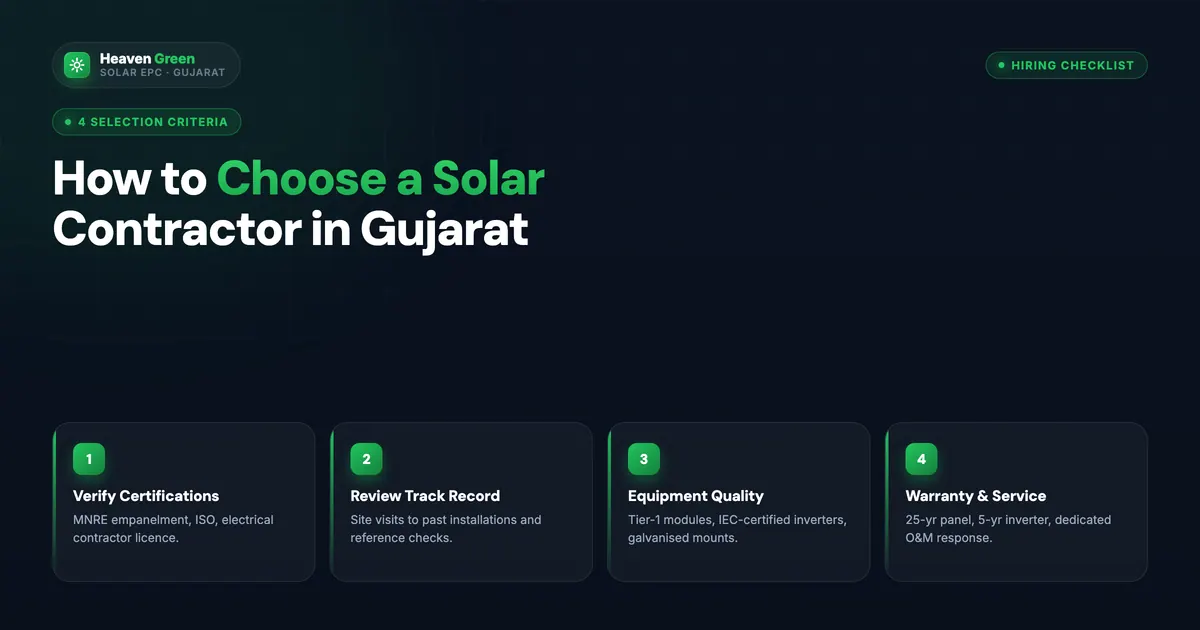
Checking DISCOM empanelment is the single most important verification you can do before signing a rooftop solar contract in India, and it takes about ten minutes. Under the PM Suryaghar Muft Bijli Yojana, launched by the Ministry of New and Renewable Energy (MNRE) in 2024, only vendors empanelled with your electricity distribution company (DISCOM) can file your subsidy application on the national portal. If your installer is not empanelled, your ₹78,000 central subsidy simply cannot be processed, no matter how good the quote looks. Yet across our pre-sales conversations, roughly one in four homeowners has already shortlisted a vendor without ever checking this one fact.
Direct answer. To check a vendor’s DISCOM empanelment, log in at pmsuryaghar.gov.in, select your state and DISCOM, open the “Registered Vendor List”, and search the vendor’s exact legal name. Match the registration number on the portal against the one printed on their quote, and confirm the validity status shows active. Only an actively empanelled vendor can file your PM Suryaghar subsidy application worth up to ₹78,000 in 2026.
This guide walks you through the portal step by step, explains what the empanelment list actually shows, covers state-wise verification for the major DISCOMs, and tells you exactly what to do if your vendor does not appear. It assumes no technical background. Everything below is verifiable on public portals run by MNRE and your state nodal agency.
What Is DISCOM Empanelment and Why It Matters for Your Subsidy
DISCOM empanelment is the formal registration through which a solar vendor is authorised to operate in a specific DISCOM’s territory under government rooftop solar programmes. The DISCOM empanelment process requires the vendor to submit company registration documents, GST records, financial statements, technical staff credentials, and quality certifications to the DISCOM or the state nodal agency. Once approved, the vendor receives a registration number and appears on the empanelled vendor list for that DISCOM.
The reason empanelment matters so much is structural, not cosmetic. On the PM Suryaghar national portal at pmsuryaghar.gov.in, the subsidy workflow is hard-coded around empanelment. When you register as a consumer and select a vendor, the portal only shows you vendors empanelled in your DISCOM. The vendor you select gets linked to your application, and only that vendor can upload your installation details, commissioning report, and subsidy claim. A vendor outside this system has no technical pathway to process your subsidy, full stop.
The subsidy at stake is significant. The scheme pays ₹30,000 per kW for the first 2 kW and ₹18,000 for the third kW, capping at ₹78,000 for systems of 3 kW and above, per MNRE’s published structure for 2026. That money goes directly to your bank account via Direct Benefit Transfer (DBT), but only after your empanelled vendor completes the portal workflow and your net metering installation passes DISCOM inspection. Every step depends on the vendor’s empanelment being active.
There is a second, quieter reason empanelment matters. The empanelment process forces vendors to meet minimum quality and financial-stability bars set by MNRE’s operational guidelines, available on mnre.gov.in. A vendor that cannot clear empanelment, or that was empanelled and then suspended, has failed a basic government screening. That screening is free information for you. PIB counted 6,552 registered vendors nationally as early as July 2024, so being empanelled is not proof of quality, but not being empanelled is proof of a problem.
How to Check DISCOM Empanelment on the PM Suryaghar Portal
The national portal is the fastest and most authoritative place to verify empanelment because it is the same system that will process your subsidy. If a vendor is empanelled and active, they appear here. The full check takes under ten minutes, and you do not need to file a subsidy application to see the vendor list.
💡 Fast tip
Check the vendor before the first site visit, not after the quote arrives. If they are not empanelled, you have saved yourself a wasted afternoon and a high-pressure sales pitch.
For the companion check that goes one level deeper, our guide on how to check a PM Suryaghar vendor’s portal rank shows how to sort the same list by performance. And if you want the full nine-point pre-signing audit, the Suryaghar vendor verification checklist covers ALMM panels, BIS inverters, and insurance in addition to empanelment.
State-Wise Empanelment Verification: Major DISCOM Portals
The national portal covers every DISCOM, but many state nodal agencies and DISCOMs also publish their own empanelled vendor lists, and the two can differ slightly in update timing. Cross-checking the state-level list is worth the extra five minutes, especially if the vendor claims empanelment under an older state scheme or a non-subsidy category.
| State / region | DISCOM or agency | Where to verify |
|---|---|---|
| Gujarat | UGVCL, DGVCL, MGVCL, PGVCL | National portal plus GEDA portal at geda.gujarat.gov.in |
| Maharashtra | MSEDCL | National portal plus MSEDCL consumer portal |
| Karnataka | BESCOM, MESCOM, HESCOM | National portal plus KREDL listings |
| Rajasthan | JVVNL, JdVVNL, AVVNL | National portal plus DISCOM vendor sections |
| Tamil Nadu | TANGEDCO | National portal plus TEDA listings |
| Uttar Pradesh | PuVVNL, KESCO and others | National portal plus UPNEDA rooftop portal |
| Delhi | BSES, TPDDL | National portal plus DISCOM rooftop solar pages |
The state-level lists matter in two situations. First, some states run supplementary subsidies on top of the central ₹78,000, and the state subsidy may require empanelment with the state nodal agency specifically, not just a national portal listing. Uttar Pradesh, for example, stacks a state subsidy administered through UPNEDA. Second, older vendor lists sometimes persist on state portals after a vendor has been suspended nationally, or the reverse. When the two lists disagree, trust the national portal, because that is where your subsidy workflow actually executes.
Gujarat homeowners have an extra resource: the Gujarat Energy Development Agency publishes vendor and scheme information at geda.gujarat.gov.in, and all four Gujarat DISCOMs participate in the national portal workflow. Heaven Green Energy is empanelled with UGVCL, DGVCL, MGVCL, and PGVCL, and our registration appears in each of those DISCOM lists.
For the engineering side of what happens after you pick an empanelled vendor, the DISCOM net metering process varies meaningfully by state. The team at Heaven Designs maintains a state-by-state breakdown in their DISCOM net metering process guide for India, which is a useful companion once your vendor is verified.
One caution on state lists: they are not always refreshed on the same cycle as the national portal. A vendor whose empanelment lapsed last month may still appear on a quarterly-updated state PDF. This is exactly why the next section on reading the list carefully matters.
What the Empanelment List Actually Shows
The empanelled vendor list is more than a yes-or-no roster. Each entry carries fields that tell you how credible the vendor’s registration is, and reading them correctly separates an active, accountable vendor from a paper registration. Here is what to look at, in order of importance.
The vendor registration number is the unique identifier the DISCOM or portal assigns at empanelment. It ties every application, installation record, and subsidy claim to one legal entity. When a vendor gives you a quote, the registration number should be printed on it. If it is not, ask for it by email so you have it in writing. A vendor who cannot produce a registration number is almost certainly not empanelled, and a vendor who gives you a number that does not match the portal is worse than unregistered.
The validity status shows whether the empanelment is currently active. Empanelment is not permanent; it is granted for a fixed period and must be renewed, and it can be suspended or cancelled for violations such as repeated consumer complaints, use of non-compliant equipment, or documentation fraud. A suspended vendor cannot file new applications, even if their name still appears on a cached or outdated list. This is the field most homeowners never check, and it is the one that most often explains a stalled subsidy.
The service area field shows which districts or DISCOM zones the vendor is registered to operate in. A vendor empanelled in your DISCOM is not necessarily active in your city. Check for recent completed installations near your pincode, which the portal exposes through the vendor profile. Local presence matters because DISCOM inspection coordination, net meter follow-up, and after-sales service all depend on the vendor having a crew within driving distance.
The installation history and ratings fields show volume and customer feedback tied to verified portal completions. These feed the vendor rating, which we cover in detail in our vendor rank walkthrough. Treat them as the quality layer on top of the empanelment entry ticket.
📘 Regulation note
MNRE's empanelment guidelines require vendors to install only ALMM-listed modules and BIS-certified inverters for subsidised projects. A vendor caught substituting non-compliant equipment risks suspension, which is why the portal validity status can change between your quote date and your installation date.
Expired, Suspended, and Fake Empanelment Claims
Most verification failures we see fall into three patterns, and each has a distinct signature on the portal. Knowing the patterns lets you catch them in minutes rather than discovering them after a rejected subsidy application.
-
1
Expired empanelment still being quoted. The vendor was empanelled last year, the registration lapsed, and the sales team keeps using the old certificate in presentations. The portal shows the lapse; the printed certificate does not. Always trust the portal.
-
2
Suspended for violations, name still visible. A suspended vendor's name can remain searchable while new applications are blocked. The status field is the tell. If it does not read active, walk away regardless of the explanation offered.
-
3
Borrowed empanelment. A local installer claims to "work under" another firm's empanelment. Subsidy applications must be filed by the empanelled entity itself, and the contract, invoice, and portal vendor selection must all name the same legal entity. Mismatches here are a leading cause of the rejections catalogued in our [PM Suryaghar rejection reasons guide](/blog/pm-suryaghar-rejection-reasons).
-
4
Forged registration numbers. Rare but real: a fabricated certificate with a plausible-looking number. The digit-by-digit match against the portal record kills this instantly, which is why Step 5 of the walkthrough is non-negotiable.
⚠️ Watch out
"We are MNRE approved" is a meaningless phrase without a registration number and a DISCOM name attached. MNRE does not approve vendors in the abstract; DISCOMs empanel them, one territory at a time. Ask "empanelled with which DISCOM, under which registration number" and watch how the answer changes.
The financial damage from these patterns is not hypothetical. A homeowner who installs through a non-empanelled or suspended vendor discovers the problem at the subsidy claim stage, after paying the full system cost of ₹1.5 lakh to ₹3 lakh. The vendor has their money; the portal will not accept the application; and the fallback options, switching vendors mid-application or re-filing, add months. Our installer credibility checklist places empanelment validity at the top of its 12 checks for exactly this reason.
Empanelment vs Vendor Rank vs Local Operation
Three different vendor signals get confused constantly, so it is worth separating them cleanly. Empanelment answers “can this vendor legally file my subsidy”. Rank answers “how well does this vendor perform”. Local operation answers “will this vendor actually show up and support me”. You need all three.
| Signal | What it proves | Where to check | Pass mark |
|---|---|---|---|
| DISCOM empanelment | Legal authorisation to file subsidy applications | National portal vendor list | Active status in your DISCOM |
| Vendor rating | Consumer feedback and, for larger vendors, site quality and techno-financial assessments | Vendor rating on the portal profile and vendor list | Rated (50+ portal installs), with feedback you can verify |
| Local operation | Crew and service presence near you | Portal service area plus completed installs by pincode | Installs within 50 km in last 12 months |
Verdict. Empanelment is a filter, not an endorsement. A vendor clears it by meeting minimum paperwork and financial bars, and PIB counted 6,552 registered vendors as early as July 2024. Use empanelment to build the shortlist, rank to order it, and local operation to finalise it. A vendor failing any one of the three is a vendor you skip, even at a ₹20,000 lower quote.
The mistake to avoid is treating empanelment as sufficient because it sounds official. It is the entry ticket. Our guide on how to choose a solar installer builds the full selection process on top of these three signals, and the questions to ask your solar installer list gives you the exact wording for the empanelment, rank, and local-crew questions.
Curious what solar would cost for your home? Use our free solar calculator to see your system size, subsidy, and 25-year savings in 60 seconds, then verify any quote against what empanelled vendors actually deliver.
What to Do If Your Vendor Is Not Listed
Finding your vendor absent from the portal list is not the end of the conversation, but it changes it completely. You have four realistic options, and they are not equally good.
Option 1: switch to an empanelled vendor. This is the right answer in most cases. With more than 6,500 vendors registered nationally by July 2024 (PIB), there is an empanelled alternative in every major city, often several. If your preferred vendor was quoting competitively, request quotes from two empanelled vendors at the same specification and compare. The price difference, if any, is almost always smaller than the ₹78,000 subsidy you would forfeit.
Option 2: wait for the vendor to complete empanelment. Vendors do empanel themselves over time, and a genuinely capable young firm may be mid-process. Ask for the expected timeline in writing and verify when the registration actually appears on the portal. Do not sign a contract or pay an advance on the promise of future empanelment. Sign only after the listing is live and active.
Option 3: verify a parent-company registration. Some vendors operate as franchises or regional arms of a larger empanelled company. This is legitimate only if the empanelled parent entity is the one that will appear on your contract, your GST invoice, and your portal vendor selection. Ask explicitly which legal entity files your application, then verify that exact entity on the portal. If the answer is vague, treat it as Option 1 territory.
Option 4: proceed without subsidy. Occasionally a homeowner decides the subsidy is not worth switching vendors for, usually on small systems or where a state subsidy does not apply. Run the numbers honestly first: on a 3 kW system, the subsidy is ₹78,000, which is typically 35% to 45% of the all-in cost difference between quotes. Very few vendor preferences are worth that much. The Qbits Energy team covers the full scheme mechanics in their PM Surya Ghar Yojana complete guide if you want the subsidy math in detail.
- ✓ Subsidy eligibility preserved, up to ₹78,000
- ✓ Portal workflow handles inspection and DBT tracking
- ✓ Government screening already applied to the vendor
- ✓ Dispute escalation path exists through MNRE and the DISCOM
- ✗ Central subsidy cannot be filed at all
- ✗ No portal record of your installation for disputes
- ✗ Vendor failed or skipped a basic government screening
- ✗ Resale and loan documentation gets harder without scheme records
Whatever you choose, get the vendor’s empanelment status confirmed on the portal on the day you sign, not the week before. Statuses change, and the screenshot habit from Step 7 protects you.
The 5-Point Empanelment Verification Test
We run every vendor a customer asks us about through a fixed internal check we call the 5-Point Empanelment Verification Test. It takes ten minutes, uses only public data, and catches every failure pattern described in this article. You can run it yourself on any vendor in India.
A vendor passing all five points is a low-risk choice on the verification dimension. A vendor failing any single point needs a documented explanation before you proceed, and in our experience the explanations for points 1 through 3 are never good enough. Points 4 and 5 have legitimate exceptions, a small specialist in a low-demand DISCOM can rank low while doing excellent work, but the first three points are binary.
💰 Real numbers
Across the last 500 pre-sales consultations where a customer brought us a competing quote, 11% of those vendors failed point 1 or point 3 of this test. Every one of those customers had been told the vendor was "MNRE approved". The portal said otherwise in under ten minutes.
The broader policy context for why this test works is that MNRE and the Central Electricity Authority publish the underlying data openly. DISCOM-level installation and grid data is available through cea.nic.in, equipment certification through bis.gov.in, and scheme rules through the PM Suryaghar portal itself. Verification in Indian rooftop solar is free; skipping it is expensive.
How Heaven Green Energy Helps
Heaven Green Energy is empanelled with all four Gujarat DISCOMs, UGVCL, DGVCL, MGVCL, and PGVCL, and registered on the PM Suryaghar national portal with active status you can verify yourself using the walkthrough above. Across 10,000+ installations in 25+ cities, our subsidy rejection rate runs around 6% against a national average near 18%, because our documentation team pre-checks every application against the same portal rules that cause rejections. Our PM Suryaghar complete guide covers the full scheme if you want the end-to-end picture before verifying anyone.
If you are mid-conversation with another vendor and want a second opinion, send us the quote. We will run the 5-Point Empanelment Verification Test on it for free, flag anything that fails, and give you a like-for-like comparison quote with our own registration number printed on page one.
- Residential Solar: 1-10 kW rooftop systems with PM Suryaghar subsidy handled end-to-end by our in-house documentation team.
- Solar Calculator: your system size, subsidy, and savings estimate in 60 seconds.
- About Heaven Green: our empanelment details, team, and installation track record.
- Contact: request a quote verification or a free site assessment within 24 hours.
Get a free site visit. Our engineer visits in 24 hours and sends a custom proposal with our DISCOM empanelment registration number printed on it in 48 hours, no cost, no obligation. Get your free quote →
For installers: you can also become a Heaven Green channel partner.
Frequently Asked Questions
How do I check if a solar vendor is empanelled with my DISCOM?
Log in at pmsuryaghar.gov.in with your mobile number and consumer number, select your state and DISCOM, and open the Registered Vendor List from the sidebar. Search the vendor’s exact legal name as printed on their quote. Confirm the registration number matches and the status shows active. The check takes about ten minutes and does not require filing a subsidy application.
What is the difference between MNRE empanelment and DISCOM empanelment?
In practice they refer to the same authorisation, granted per DISCOM territory under MNRE’s programme guidelines and visible on the national portal. A vendor is not “MNRE empanelled” in the abstract; they are empanelled with specific DISCOMs. Always ask which DISCOMs and verify each one you care about on the portal, because empanelment in one DISCOM does not extend to a neighbouring one.
Can I get the PM Suryaghar subsidy if my vendor is not empanelled?
No. The national portal workflow requires you to select an empanelled vendor registered in your DISCOM, and only that vendor can upload your installation and commissioning details for the subsidy claim. A non-empanelled vendor has no technical pathway to file. You would forfeit up to ₹78,000 in central subsidy, which is why verification must happen before you sign.
Does DISCOM empanelment expire?
Yes. Empanelment is granted for a fixed period and must be renewed, and it can be suspended or cancelled early for violations like consumer complaints, non-compliant equipment, or documentation fraud. A printed empanelment certificate proves the vendor was empanelled on its issue date, not that they are empanelled today. Always check the live status on the portal, including on the day you sign the contract.
What is a vendor registration number and where do I find it?
The vendor registration number is the unique identifier assigned when a vendor is empanelled with a DISCOM. It appears on the vendor’s portal profile and should be printed on their quote or proposal. Ask for it in writing, then match it digit by digit against the portal record. A vendor who hesitates to share it, or whose number does not match the portal, is a red flag.
What should I do if my vendor claims empanelment but is not on the portal list?
Ask them to show you their own listing on the portal while you watch. If they cannot, the claim is false regardless of any certificate shown. Your realistic options are to switch to an empanelled vendor, wait until their empanelment goes live and verify it yourself, or confirm they operate under an empanelled parent company that will be the contracting entity. Do not pay an advance based on a promise of future empanelment.
Is the state nodal agency list or the national portal list correct?
When they disagree, trust the national portal at pmsuryaghar.gov.in, because that is the system that executes your subsidy workflow. State agency lists, such as those from GEDA or UPNEDA, are sometimes refreshed on slower cycles and can show lapsed vendors. For stacked state subsidies, you may need state-level empanelment as well, so check both, but the portal status decides your central subsidy eligibility.
Does empanelment guarantee a good installation?
No. Empanelment is a minimum entry requirement; PIB counted 6,552 registered vendors as early as July 2024. It proves legal authorisation, not quality. Combine it with the vendor’s portal rating, recent local installations, and independent references before deciding. A vendor can be actively empanelled and still deliver poor work, which is why the 5-Point Empanelment Verification Test pairs empanelment with rank and local-presence checks.